





• Students
  • AI
  • Policies
  • Programmes
  • Education Financing Portal
  • Library
  • Downloads
  • Gallery
  • Contacts
  • Staff profiles
Egerton UniversityEgerton UniversityEgerton University
  • Home
  • Admission
    • Admissions
      • Undergraduate Admission
      • Post Graduate Admission
      • Available Intakes
      • Online Applications
      • E-Campus
      • KUCCPS Admission Portal
      • Higher Education Financing Portal
      • Joining Self-service Portal
    • Downloads
      • Fees Structures
      • Application Forms
      • Bursary / Work Study Form
      • Acceptance or Deferment
      • Student Registration Form
      • Student Medical Form
      • Rules and Regulations
      • Student's Hand Book

    apply 2 1

  • Academics
    • Academics
      • Division of Academics,Research and Extension
      • Academic Programmes
      • University Library
      • Scholarships & Grants
      • Faculties & Departments
      • School of Distance Learning (SoDL)
      • Institute of Women, Gender & Development Studies
      • Academic Directorates & Boards

    apply 2 1

  • Explore
    • Governance
      • Organisational Structure
      • Office of the Chancellor
      • The University Council
      • The Management Board (UMB)
      • The University Senate
    • Management
      • Office of the Vice-Chancellor
      • Division of Academics, Research & Extension
      • Division of Administration, Finance & Planning
      • Directorate of Research & Extension
      • Office of the Principal, NCCC
      • Deans of Faculties
      • Office of the Dean of Students
    • About the University
      • University History
      • Fact Sheet
      • University Profile
      • Vision and Mission
      • Our Mandate & Philosophy
      • University Anthem
      • Awards & Achievements
      • Partners & Collaborations
    • More About us
      • Campuses & College
      • Institutes & Schools
      • Directorates & Boards
      • Faculties
      • Departments
      • Teaching and Learning
      • Contacts, Location & Addresses
  • Research
    • Sections
      • Directorate of Research
      • Tegemeo Institute
      • Institute of CMRT
      • Directorate of DRTEC
      • Directorate of AgroPark
      • Njoro River Rehabilitation
      • University Liaison Office
    • More About the Division
      • UNESCO Chair in Bioethics
      • Finance & Accounts (R&E)
      • Projects & Publications
      • Collaborators & Partners
      • University Conferences
      • University Journals
      • Institutional Repository
      • Research News & Updates
  • Info
    • University News & Updates
      • Egerton Radio 101.7 FM
      • Latest News & Updates
      • Library Latest News & Updates
    • Public Information
      • Parents Portal
      • Service Delivery Charter
      • Egerton University Policies
      • Financial Statements
      • Calendar of Events
      • Exhibitions & Trade Fairs
      • Customer Feedback
      • Speeches
    • Students
      • Notice Board
      • Campus Life
      • Campus Tour
      • Photo Gallery
      • Downloads Center
      • Academic Timetables
      • E-Learning
      • Students Portal
    • Staff
      • Staff Notice Board
      • Update My Staff Profile
      • Performance Appraisal
      • Promotion Guidelines
      • Corporate Staff Email
      • Login to Staff Portal
      • Members of Staff

Advanced Search
Resident Evil Requiem

Resident Evil Requiem Crack Denuvo Hypervisor

02 March 2026

By KIRIGIRI & The Inner Circle

Resident Evil Requiem Hypervisor Setup
Download the file using the link below.
Install the file into the game folder.
Launch the game through the new game launcher.
Resident-Evil-Requiem-Setup.zip

The release of the long-awaited horror game Resident Evil Requiem on February 27, 2026, was a landmark event for the industry, setting a new franchise record on Steam with a peak online audience of 267,500 players. The project received rave reviews from critics (up to 92% on Metacritic) for the oppressive atmosphere of a half-ruined Raccoon City, where FBI analyst Grace Ashcroft and series veteran Leon Kennedy face a new outbreak of the virus. However, just an hour after release, a hacker going by the pseudonym KiriGiri (along with associates Andreh and 0xZe0n) announced that they had successfully bypassed the game's multi-layered protection, including Denuvo version 21960597, Capcom Anti-Tamper, and VMProtect.
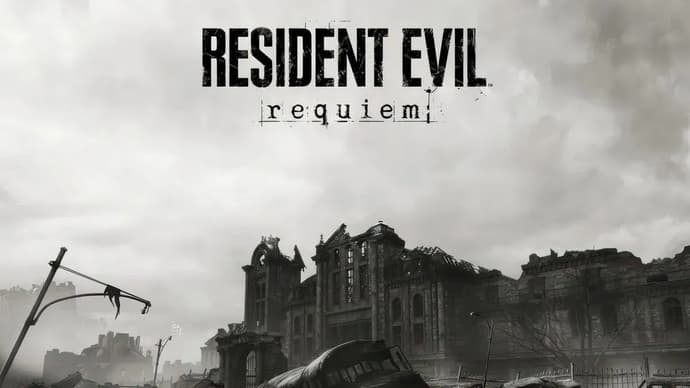
game screenshot

The uniqueness of the situation lies in the method: instead of the traditional removal of protection, a hypervisor was used — a technology that creates an isolated virtual environment to deceive security algorithms. This solution is currently in beta testing and demonstrates better stability on AMD processors, while Intel owners experience crashes and performance drops. The community has reacted to the “hack” with mixed feelings, calling it a difficult-to-configure “crutch” that requires players to disable important Windows security systems.


Quick guide to installing the bypass (Hypervisor Bypass)

Important: Before you begin, be sure to save your BitLocker keys, as changing your BIOS settings may lock you out of your system.

1. BIOS Configuration

  • Enable virtualization: SVM Mode (AMD) or VT-x (Intel).
  • Disable Secure Boot (you may need to switch to “Other OS” or “Custom Mode”).
  • Disable NX Mode.

2. Windows Settings

  • Run the command prompt (CMD) as an administrator and execute the following commands:
    • bcdedit /set testsigning on (activate test mode).
    • bcdedit /set hypervisorlaunchtype off.
    • bcdedit /set nointegritychecks on.
  • Restart your computer.

3. Installation and launch

  • Move the files from the archive (KIRIGIRI.dll, SimpleSvm.sys, hyperkd.sys, etc.) to the root folder of Resident Evil Requiem, replacing the existing files.
  • Add the game folder to the antivirus exceptions and Windows Defender.
  • Run the game via the steamclient_loader_x64.exe file as an administrator.

Additional tips

  • For Intel users: Use the InSpectre utility to disable Spectre and Meltdown protections if the game does not start or slows down.
  • Conflicts: Stop kernel-level anti-cheats (e.g., FaceIt) with the command sc stop faceit.
  • Alternative: If the standard method does not work, try launching through EfiGuard using a FAT32-formatted USB flash drive.

bypass illustration


Egerton Portal

Egerton Portal

  • E-Learning Portal
  • First Years Portal
  • Graduation Portal
  • Selfcare Portal
  • Registration Portal
  • Students Portal
  • Staff Notice Board
  • E-Learning Portal
  • First Years Portal
  • Graduation Portal
  • Selfcare Portal
  • Registration Portal
  • Students Portal
  • Staff Notice Board
  • Students
  • Staff
  • Alumni
  • E-Campus
  • Downloads
  • Egerton Radio

QuickLinks

  • Campuses
  • Notice Board
  • Bachelors Programmes
  • Our Campuses
  • Timetables
  • Downloads Center
  • Emergencies
  • Intercom Directory

Visitors

  • Our Contacts
  • Calendar of Events
  • Map & Directions
  • Places of Interest
  • Cross Country
  • Procurement Info
  • University Events
  • Upgraded University noticeboard
Copyright © 2026 Egerton University
"Transforming Lives through Quality Education"

sic donec

  • Home
  • Admission
    • Admissions
      • Undergraduate Admission
      • Post Graduate Admission
      • Available Intakes
      • Online Applications
      • E-Campus
      • KUCCPS Admission Portal
      • Higher Education Financing Portal
      • Joining Self-service Portal
    • Downloads
      • Fees Structures
      • Application Forms
      • Bursary / Work Study Form
      • Acceptance or Deferment
      • Student Registration Form
      • Student Medical Form
      • Rules and Regulations
      • Student's Hand Book
  • Academics
    • Division of Academics,Research and Extension
    • Academic Programmes
    • University Library
    • Scholarships & Grants
    • Faculties & Departments
    • School of Distance Learning (SoDL)
    • Institute of Women, Gender & Development Studies
    • Academic Directorates & Boards
  • Explore
    • Governance
      • Organisational Structure
      • Office of the Chancellor
      • The University Council
      • The Management Board (UMB)
      • The University Senate
    • Management
      • Office of the Vice-Chancellor
      • Division of Academics, Research & Extension
      • Division of Administration, Finance & Planning
      • Directorate of Research & Extension
      • Office of the Principal, NCCC
      • Deans of Faculties
      • Office of the Dean of Students
    • About the University
      • University History
      • Fact Sheet
      • University Profile
      • Vision and Mission
      • Our Mandate & Philosophy
      • University Anthem
      • Awards & Achievements
      • Partners & Collaborations
    • More About us
      • Campuses & College
      • Institutes & Schools
      • Directorates & Boards
      • Faculties
      • Departments
      • Teaching and Learning
      • Contacts, Location & Addresses
  • Research
    • Sections
      • Directorate of Research
      • Tegemeo Institute
      • Institute of CMRT
      • Directorate of DRTEC
      • Directorate of AgroPark
      • Njoro River Rehabilitation
      • University Liaison Office
    • More About the Division
      • UNESCO Chair in Bioethics
      • Finance & Accounts (R&E)
      • Projects & Publications
      • Collaborators & Partners
      • University Conferences
      • University Journals
      • Institutional Repository
      • Research News & Updates
  • Info
    • University News & Updates
      • Egerton Radio 101.7 FM
      • Latest News & Updates
      • Library Latest News & Updates
    • Public Information
      • Parents Portal
      • Service Delivery Charter
      • Egerton University Policies
      • Financial Statements
      • Calendar of Events
      • Exhibitions & Trade Fairs
      • Customer Feedback
      • Speeches
    • Students
      • Notice Board
      • Campus Life
      • Campus Tour
      • Photo Gallery
      • Downloads Center
      • Academic Timetables
      • E-Learning
      • Students Portal
    • Staff
      • Staff Notice Board
      • Update My Staff Profile
      • Performance Appraisal
      • Promotion Guidelines
      • Corporate Staff Email
      • Login to Staff Portal
      • Members of Staff